Use the Toolkit
The Toolkit is a library of things to try for constipation, plus a way to test whether one works for you. You answer six questions and Poopaya picks three tactics to start with. You can run any of them as an experiment while you log as usual, and at the end the app compares those logs with the month before.
Step 1: Open the Toolkit
Tap the Toolkit icon  in the row at the top of the screen. It’s the last one, after History, Charts and Insights.
After you’ve logged three movements, a Ready to try something? banner also shows up at the top of History, and tapping it opens the Toolkit too.
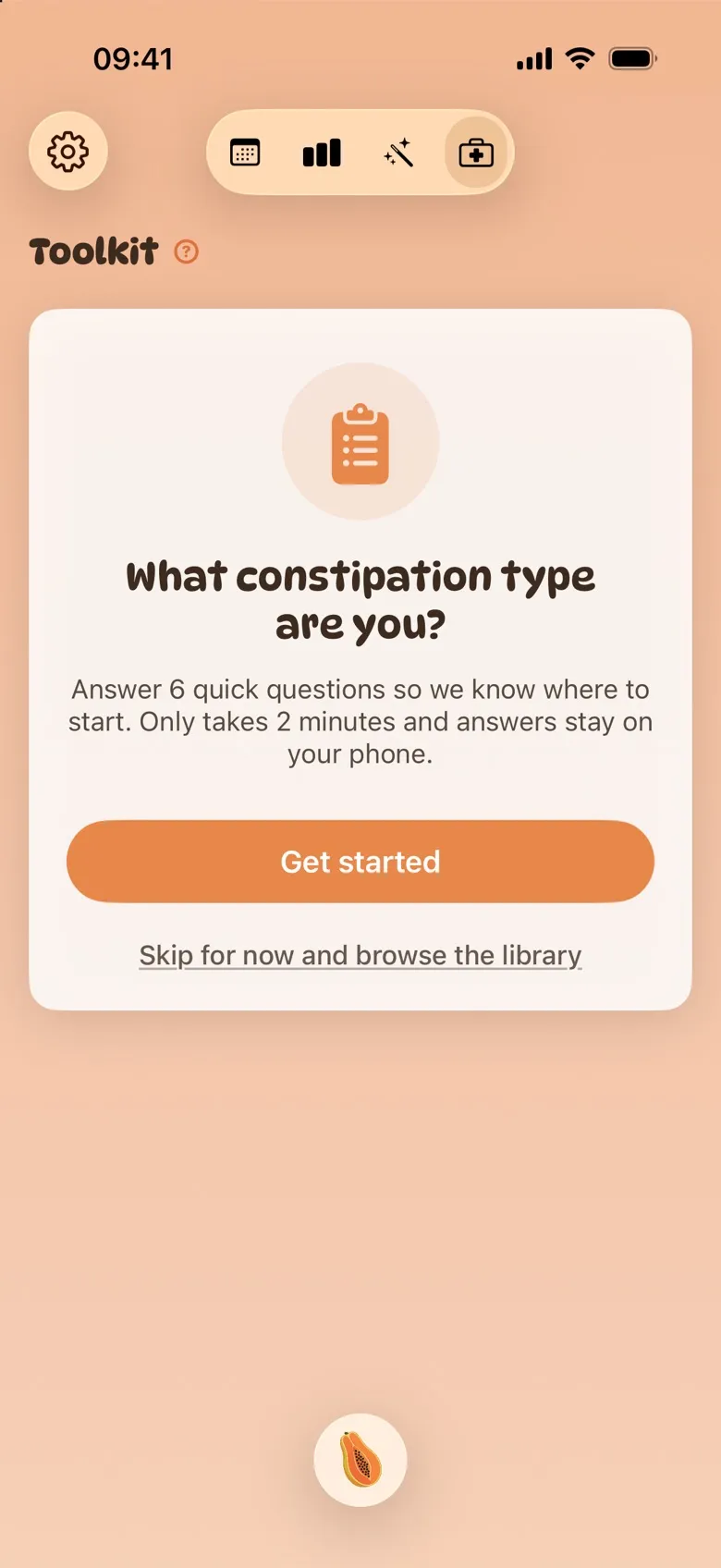
The first time, you’ll see What constipation type are you? Tap Get started to answer the questions, or Skip for now and browse the library to look around first.
Step 2: Answer the six questions
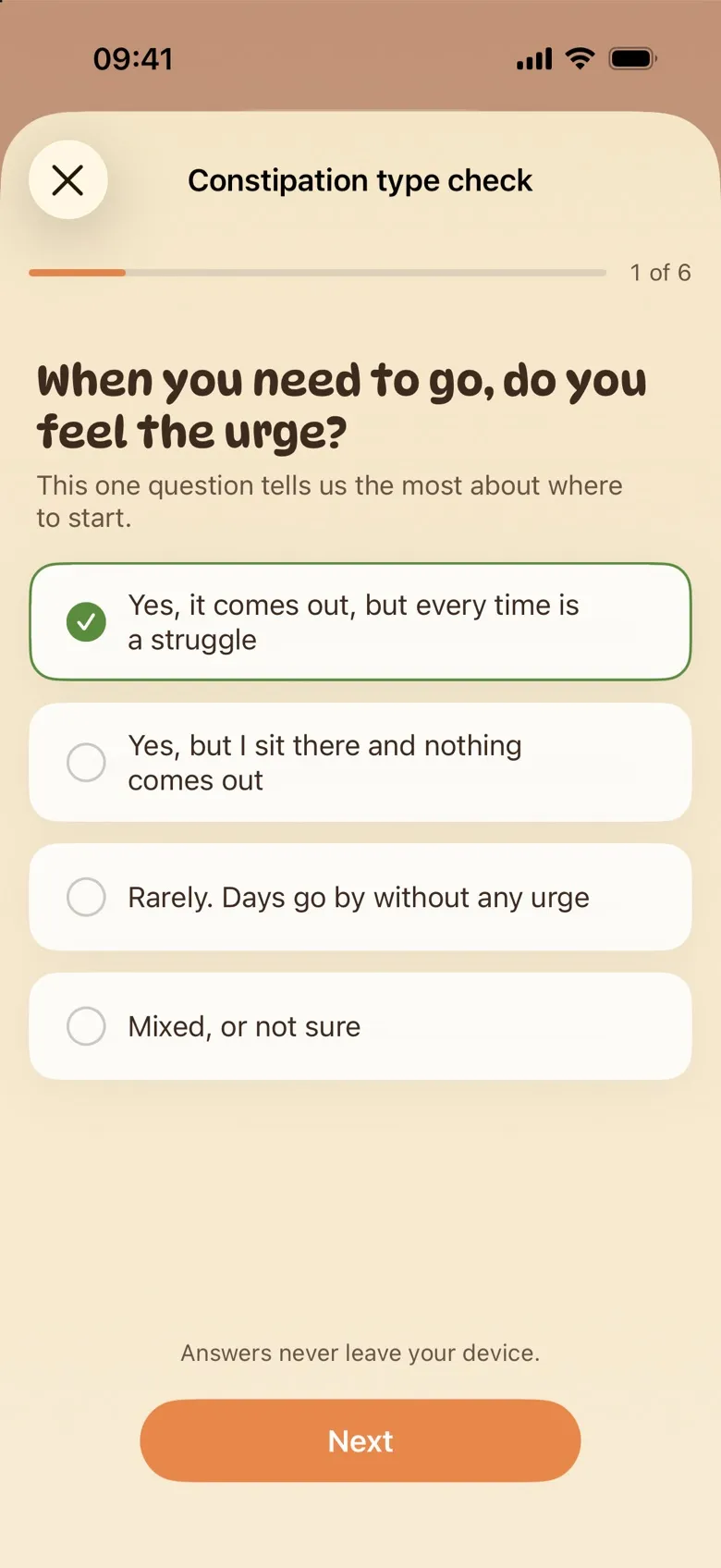
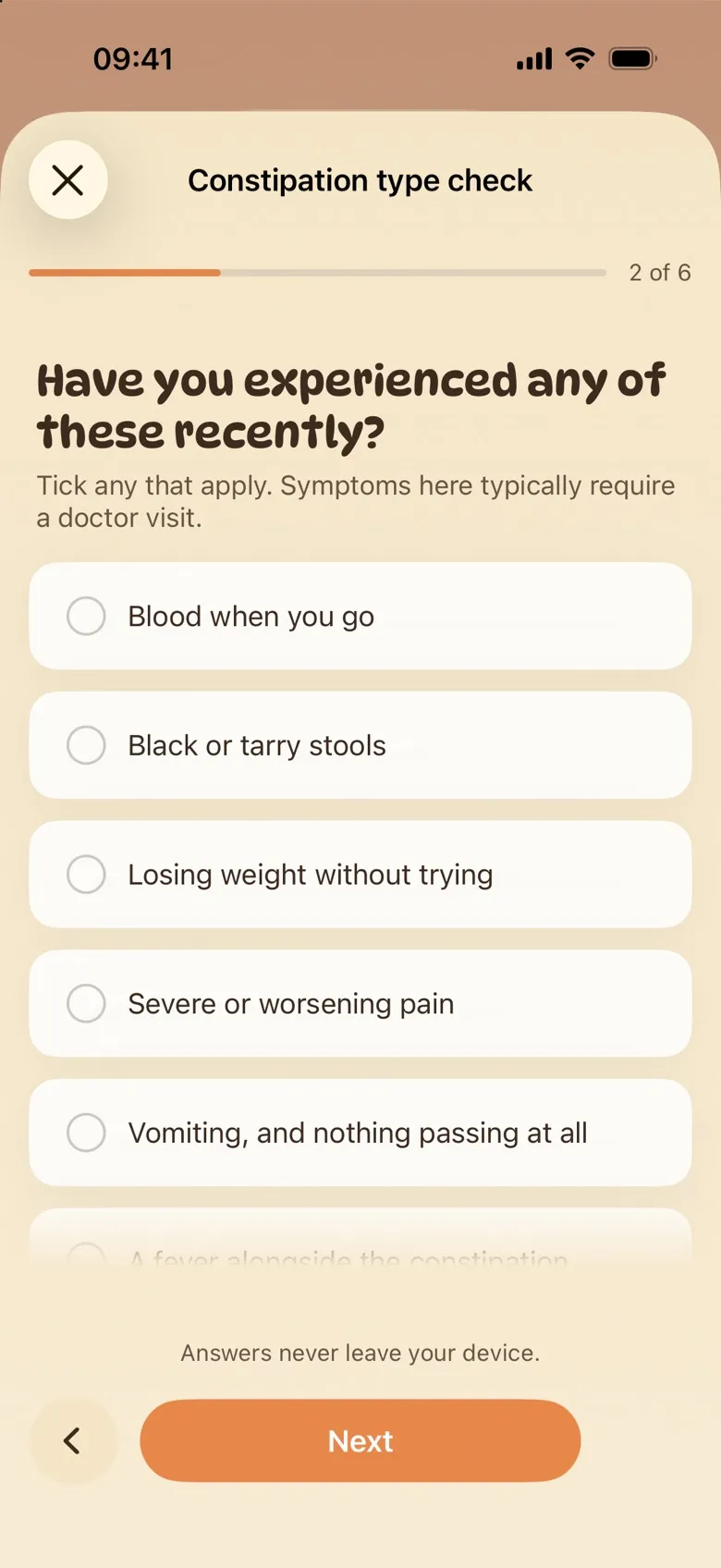
The check takes about two minutes. It asks whether you feel the urge to go, how long this has been going on, what else comes with it (bloating, reflux and so on), whether it started with a new medication or a dose change, and two final yes-or-no questions. Tap an answer, then Next. On the last question the button says See what to try.
Your answers stay on your phone. Poopaya uses them to rank the tactics. It doesn’t give you a diagnosis or a label.
Step 3: Look at your top matches
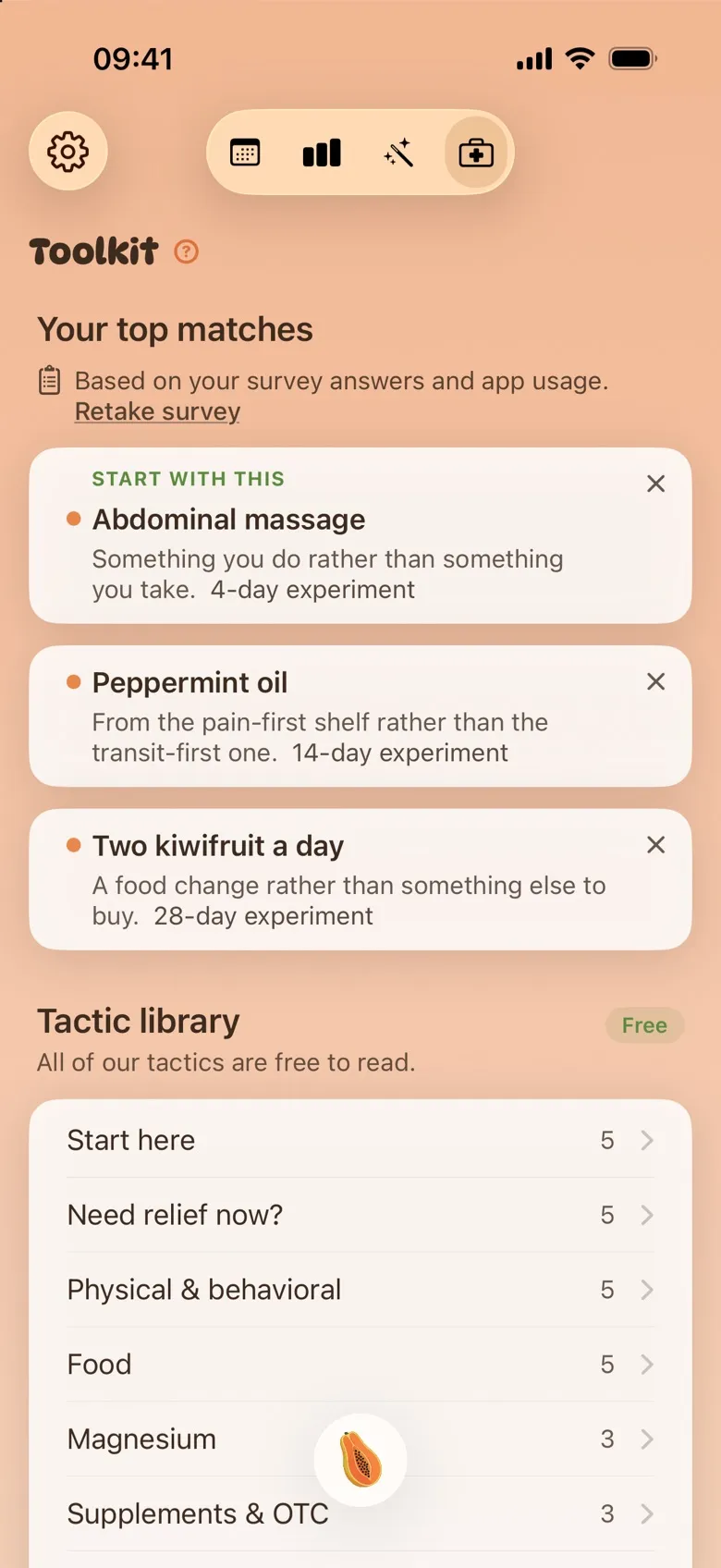
Your top matches shows three tactics picked from your answers and your logs, with the first one labelled Start with this. Each card says why it was picked and how long a fair test takes, like a “4-day experiment”.
If one isn’t for you, tap the ✕ on its card and pick a reason. It moves to Hidden at the bottom of the Toolkit, where you can put it back.
To change your answers later, tap Retake survey.
Step 4: Read a tactic
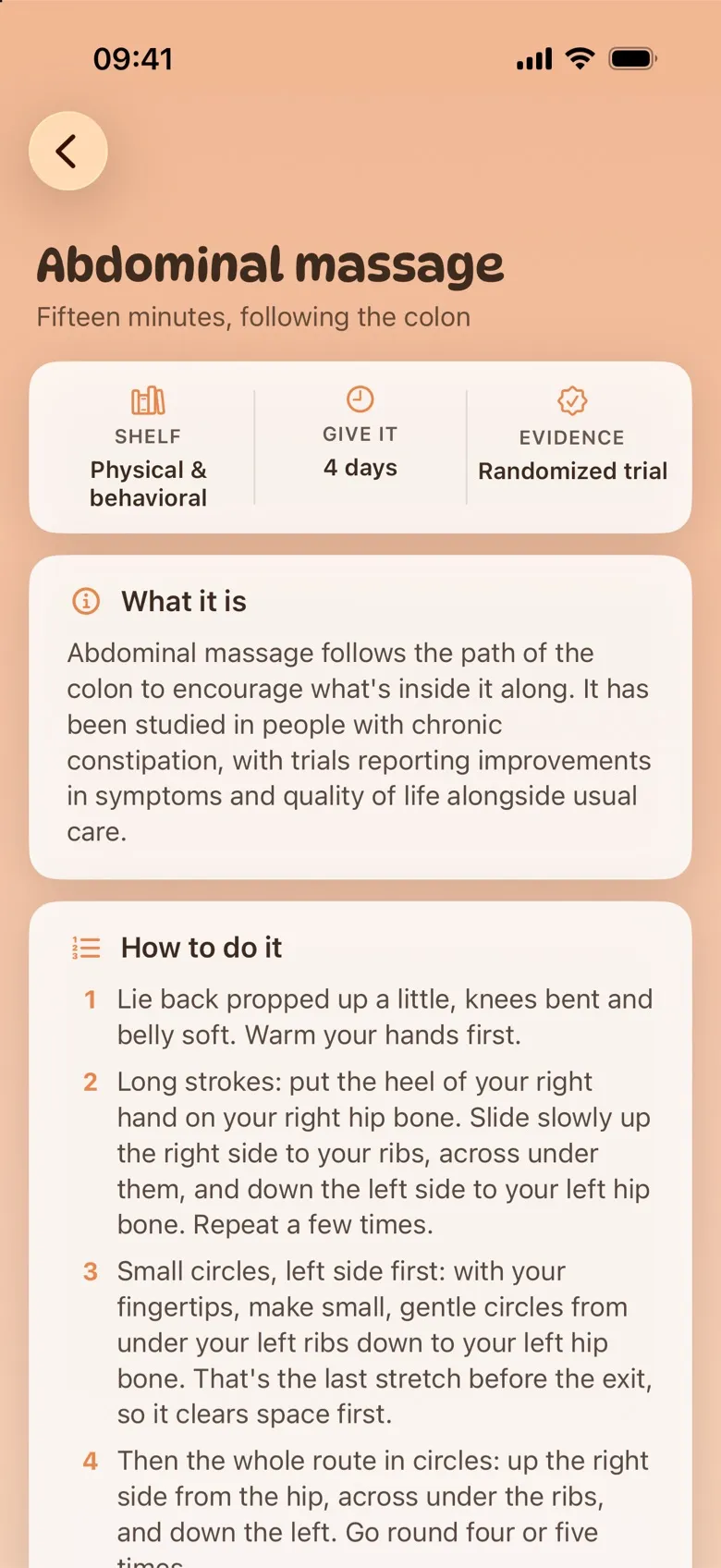
Tap any card to open it. Every tactic page has the same sections: What it is, How to do it, When to expect results, any Caveats, and When to see a doctor. The strip at the top shows its shelf, how long to give it, and the kind of evidence behind it, from “Community reports” up to “Clinical guideline”.
The full Tactic library sits below your matches: 43 tactics on ten shelves, starting with Start here and Need relief now?. A few cards are just for reading, like When to stop experimenting.
Step 5: Start an experiment
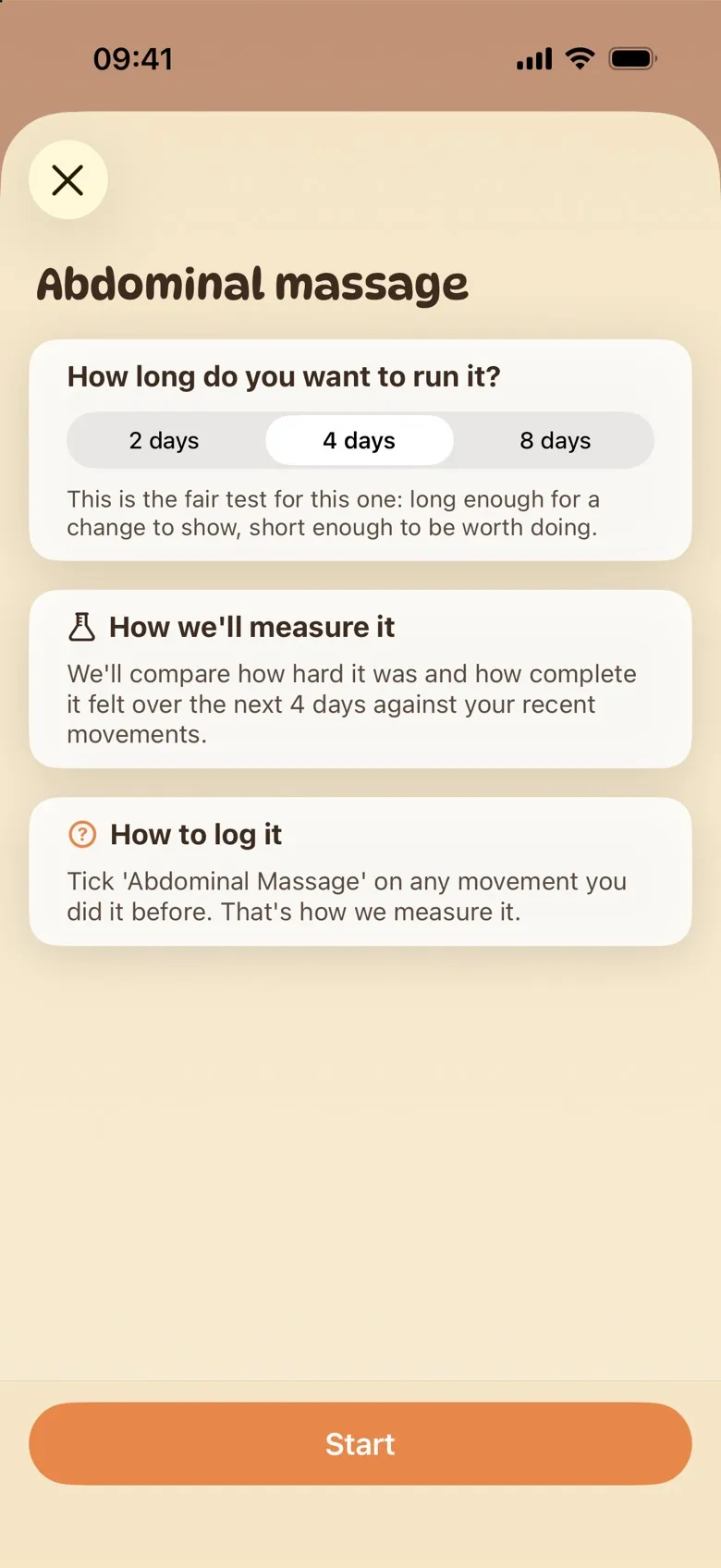
At the bottom of a tactic page, tap Try it and choose how long to run it. The middle option is the length the app recommends, though a longer run is fine. The sheet also explains what will be measured and how to log it. Then tap Start.
You can only run one experiment at a time, so finish or stop the current one before starting another.
Step 6: Log as usual, and check in
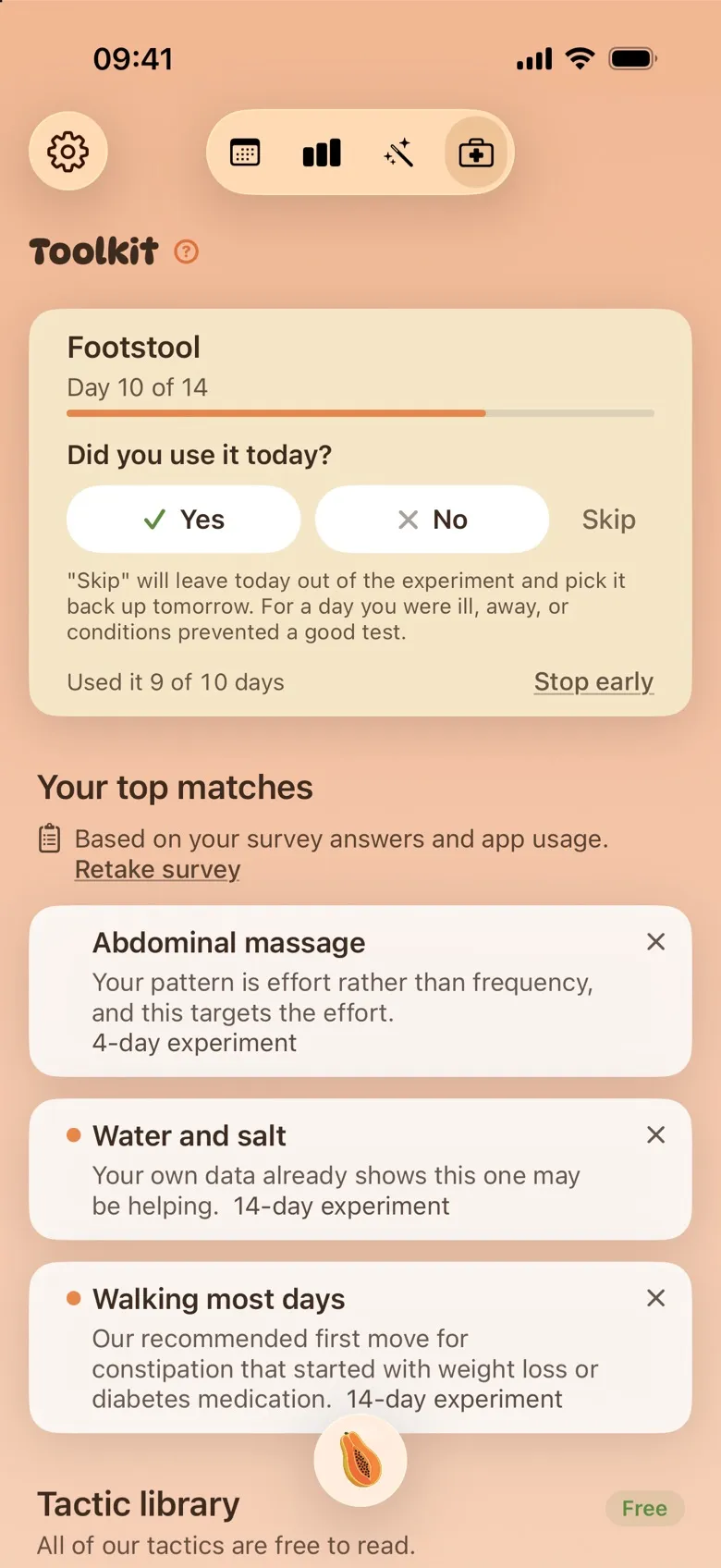
Keep logging your movements the normal way. The running experiment sits at the top of the Toolkit with a Day 4 of 14-style counter. How you mark that you did the tactic depends on the card:
- Daily habits (a footstool, a morning walk, a set toilet time) ask Did you use it today? Answer Yes or No on the card, or right after you save a movement. Skip leaves out a day you were ill or away and adds a day to the end.
- Foods and medications are set up for you as a Diet or Medication entry. Tick it on your movement log on the days you had it.
- Things you already log, like Abdominal Massage or Hydration, just need that field filled in on your movement log.
Missed answers count as days you didn’t do it, so it’s worth checking in.
Step 7: See your result
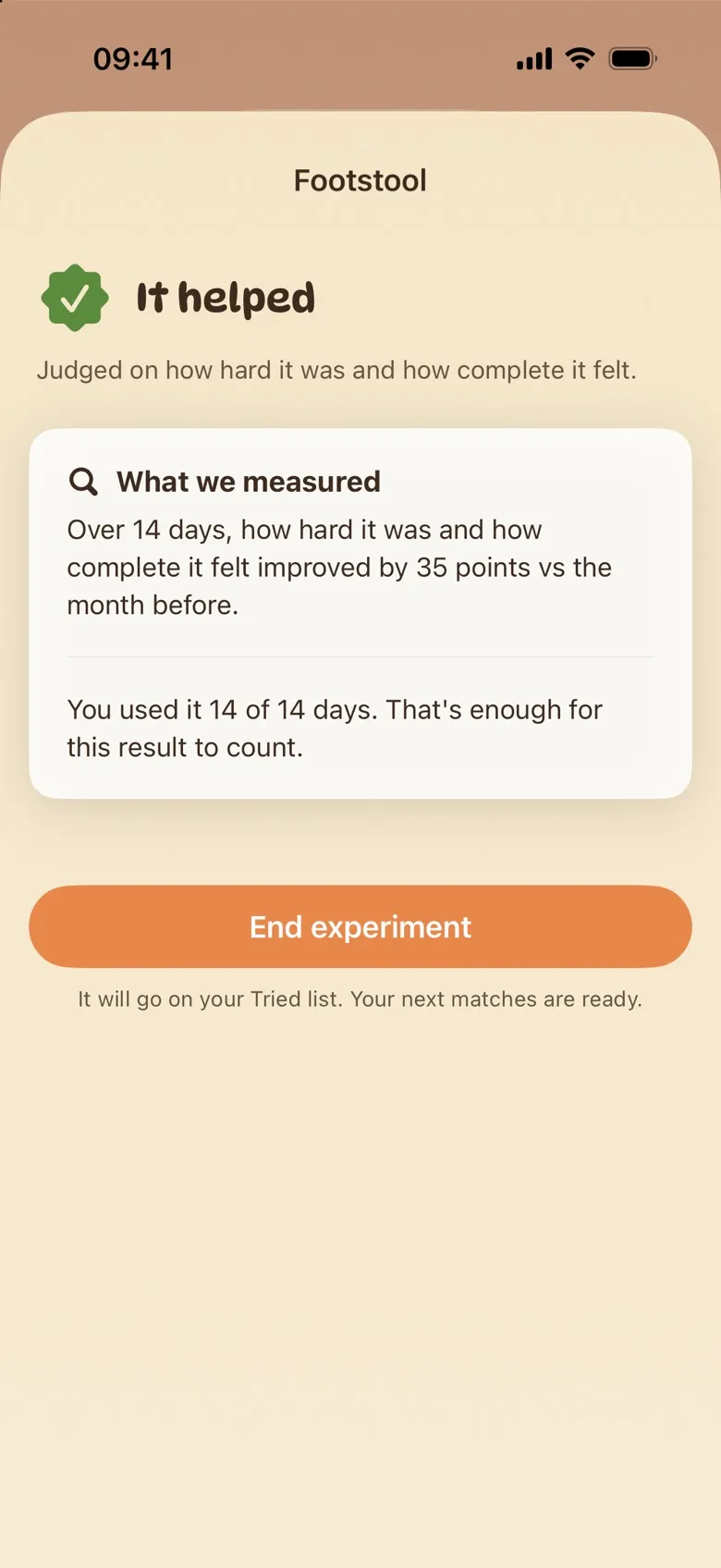
When the time is up, a Your 2 weeks are up-style banner appears in History, and the result opens the next time you go to the Toolkit. You’ll get one of these:
- It helped, No change or Made it worse: what you measured moved by at least 8 points (out of 100) compared with the 28 days before you started, or it didn’t.
- Not enough to go on: too few movements were logged during the run, or it was stopped too soon.
- Can’t judge this one yet: the tactic wasn’t logged often enough to tell.
What we measured shows the numbers behind the result. Tap End experiment to file it under Tried and move on to your next matches. If there wasn’t enough to judge, you can keep going, start again or try something else.
Free and Gold
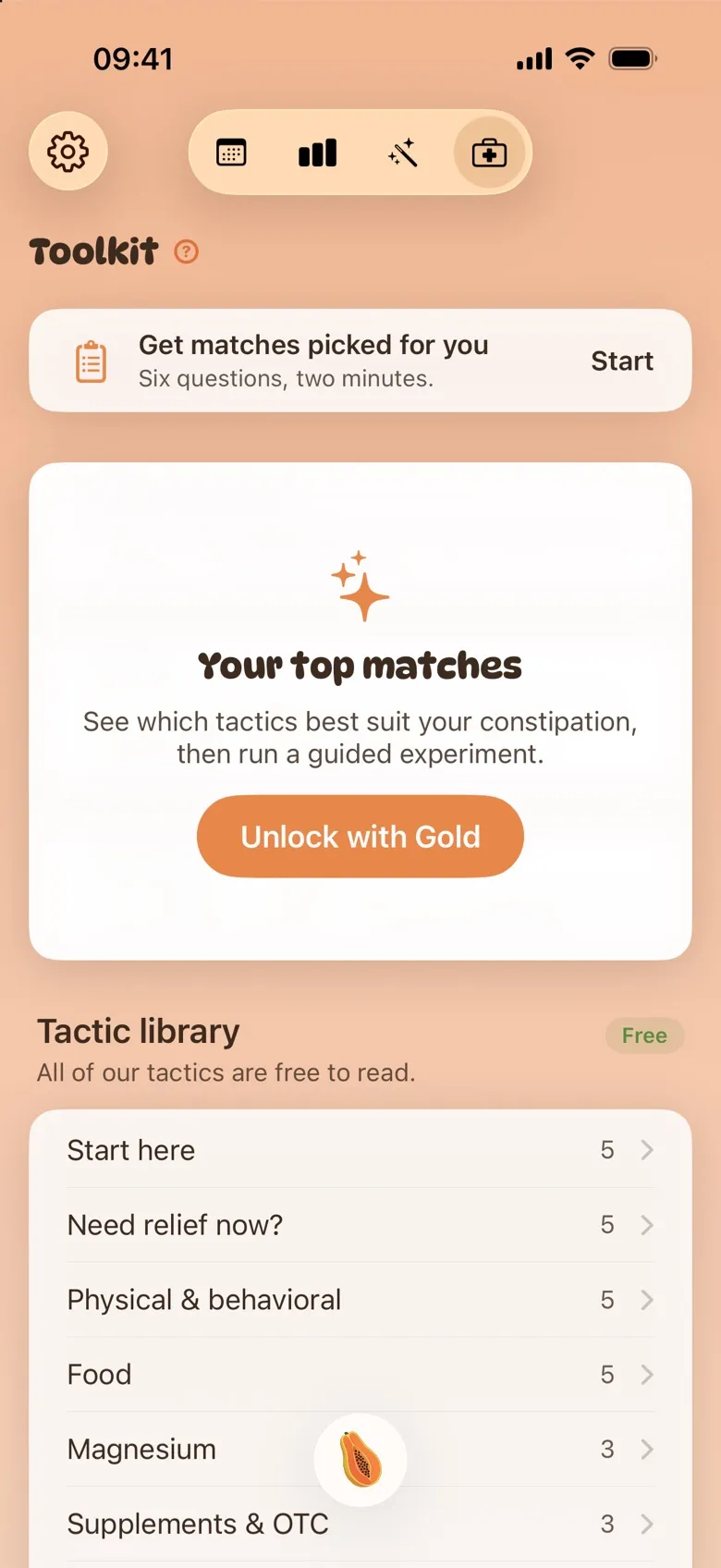
The six questions, the whole library and every tactic page are free. Your top matches and guided experiments are part of Poopaya Gold. Without Gold, your matches show as a blurred panel with an Unlock with Gold button, and Try it on a tactic says Try it with Gold.
If something doesn’t look right
- Start is greyed out and says “Not enough data yet”. An experiment needs at least 5 recent movements to compare against, usually from the four weeks before you start. For tactics judged on how hard it was, only logs where something came out count. Keep logging and try again in a few days.
- Your matches are gone, and you see “Worth a doctor’s look”. You ticked one of the warning signs on question 2, like blood or weight loss you can’t explain. The Toolkit stops suggesting tactics and points you to a doctor instead. If you ticked it by mistake, tap Retake and change the answer.
- Your result says “Can’t judge this one yet”. The tactic wasn’t recorded on enough days. Check-in cards count unanswered days against you, and food, medication and massage cards only count the movements where you ticked them.
- You tapped Stop early by accident. Stopping goes straight to the result. If the result isn’t final yet, you’ll see a Keep going option.
When to see a doctor
The Toolkit suggests things to try and helps you track them. It doesn’t diagnose anything, and it doesn’t replace your doctor. Every tactic has its own When to see a doctor section, and the When to stop experimenting card lists the signs that it’s time to stop trying things and get seen. If you can’t pass stool or gas and you’re vomiting, go to an emergency department.
For the research behind one of the tactics, read abdominal massage for constipation.